Free starter kit + safety glasses with every laser. Ships from California. Chat with an advisor ›
Learn

The Free OMTech Learning Hub

Tutorials, training, material-settings tables, and a live human chat — because buying the laser is the easy part. Learning to run it well is where we earn the relationship.

Browse Tutorials
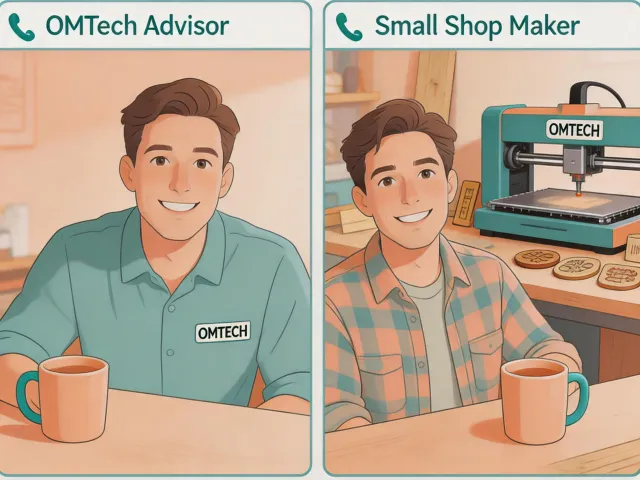
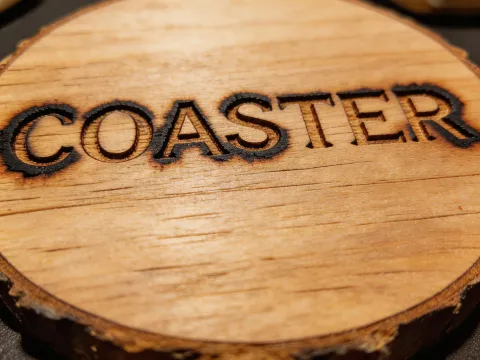
Illustration of OMTech advisor helping a customer on video call
What we teach

Four Ways We Help You Succeed

200+ Project Tutorials

Free video library covering tumbler engraving, acrylic award builds, CerMark metal marking, leather debossing, slate coasters, rotary wine bottles, and more. Every tutorial includes downloadable project files.

Browse tutorials →

Material Settings Tables

Published power/speed tables for plywood, MDF, cast acrylic, extruded acrylic, leather, anodized aluminum, slate and glass — with wattage-specific adjustments for 40W, 60W, 80W, 100W, and 150W.

View settings →

Live Onboarding Calls

Every new laser owner gets a 30-minute onboarding call — we review your shop's power, space, ventilation, and first three project ideas before your machine ships.

Book a call →

7-Day Human Chat

Real California-based laser operators answer chat messages from 6 AM to 8 PM Pacific, seven days a week. Average response under 4 working hours. No bots, no queue tickets.

Open chat →
Frequent first-buyer questions

The Questions We Hear Every Week

Roughly a 30–40% faster cut on 6mm acrylic and the ability to cut 8mm cleanly where 40W struggles. The 60W also handles higher duty cycles, so back-to-back tumbler jobs don't require tube cool-down breaks. For hobby engraving of wood and leather, 40W is plenty. For any kind of daily revenue work, 60W is the more forgiving floor.

Only with a surface coating (CerMark, Thermark, or Molybdenum spray). The 10.6 µm CO2 wavelength reflects off bare metal. For direct, deep, permanent marking on stainless steel, aluminum, brass or anodized parts, you want a 20–50W fiber galvo marker running at 1064 nm instead.

Yes — every CO2 tube above 40W needs active water cooling. OMTech ships a CW-3000 passive chiller with the 50W/55W, and a CW-5000 or CW-5200 refrigerated chiller with 60W and above. In ambient temperatures above 80°F (27°C), we recommend the CW-5200 regardless of wattage to preserve tube life.

Every CO2 machine includes an inline exhaust fan and 4-inch ducting to vent outdoors. If you can't vent outside (apartment, indoor space, winter climate), add an OMTech fume extractor with a 3-stage HEPA + carbon filter. This is non-negotiable for acrylic and MDF cutting.

Boss and Thunder lean higher on price and white-glove service. Glowforge leans toward closed-ecosystem simplicity with subscription software. OMTech sits in the middle: open architecture (LightBurn-compatible), strong value per watt, human support, and honest spec sheets. We'll tell you when a Glowforge is actually the better fit — usually when workspace or ventilation are unsolvable.

Before & after

What "Dialed-In Settings" Actually Looks Like

Engraving with untuned laser settings showing burn marks and scorching Stock settings

Engraved Wood Coasters

Scorching, uneven depth, brown halos around letters. This is what happens when new owners use Lightburn's stock plywood preset without test grids.

Same coaster engraved with tuned power, speed, and focus showing clean crisp letters Tuned settings

Same File, After a 15-Minute Dial-In

20% lower power, 1.5× faster travel speed, air-assist on, 0.1″ focus offset. The file didn't change — the operator learned. That's what the tutorial library teaches.

Still have questions? We have answers.

Send us the specs of your space, power, and what you want to make. We'll reply with a plain-English recommendation.